Backlog Monitor
The Backlog monitor checks if the number of jobs waiting to be processed has exceeded a given maximum. As jobs in the backlog we include "waiting jobs", "prioritized jobs" and "delayed jobs".
A growing backlog is often the first sign that something is wrong with your workers: maybe some of them have crashed, they are processing jobs slower than usual, or you are simply getting more jobs than your current workers can handle. This monitor lets you find out before your users notice that their jobs are taking too long.
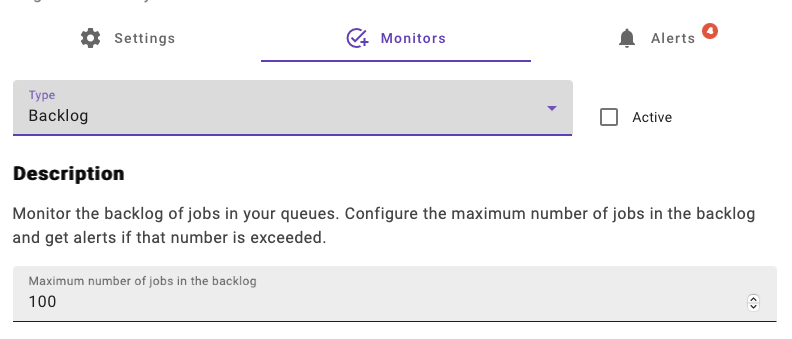
Configuring the monitor
When enabling the monitor in the connection dialog you set the maximum number of jobs in the backlog, which is 100 by default. The same maximum is used for all the queues in the connection.
Choose a value that is clearly above the normal backlog of your queues. If your queues usually have a few thousand delayed jobs, for example because you schedule jobs to run later, a maximum of 100 would trigger alerts all the time. A good starting point is to look at your queues during a busy period and set the maximum somewhat above what you see.
How it works
The monitor runs every 5 minutes and checks every queue in the connection. If the sum of waiting, prioritized and delayed jobs in a queue is larger than the maximum, an alert is triggered for that queue, with a message telling you the current backlog size and the configured maximum.
After an alert has been triggered for a queue, the monitor will not check that queue again until the alert has been acknowledged, or until a day has passed since the alert. So, if the backlog is still too large when you acknowledge the alert, you will get a new one on the next check.
INFO
Since delayed jobs are included in the backlog, queues that use many delayed jobs or job schedulers will have a larger backlog than you may expect. Take this into account when choosing the maximum.